
Username Generator Using Keywords
for Social Media & Gaming
Need a username that actually fits you? This username generator using keywords helps you create unique, secure, and fun usernames in seconds. Whether you need a handle for social media, a gamertag for gaming, or a professional screen name for business, this free online naming tool has you covered. Type in a keyword, pick your platform, and generate cool names instantly. No sign-up. No hassle. Just results that match your digital identity.
What Is a Username Generator?
A username generator is a tool that takes your input — a keyword, word, or phrase — and turns it into a list of name suggestions. It does not just pick random words. It uses your text to build a custom username that fits your style, platform, and purpose.
Here is what makes this tool different from basic generators:
Input options you can use:
- A single keyword or word
- A short phrase or niche topic
- Nouns from any language, including Latin
- Place names like hills, rivers, cities in Scotland or Wales
- Pop culture references like Harry Potter or collective terms
Advanced customization features:
| Feature | What It Does |
|---|---|
| Username length slider | Adjust character count to your preferred length |
| Uppercase / Lowercase | Switch between letter cases |
| Leetify / Leetified | Replaces letters with similar-looking numbers or symbols |
| Spell backwards / Reverse | Flips the word or phrase |
| Anagram | Rearranges letters into a new word |
| Translate | Converts your input to another language |
| Special characters | Add symbols to make it distinct |
| Category select | Filter by categories like places, Latin, or collective nouns |
Once you enter your input and select your options, click generate. The tool will load and show up to 200 results. You can chunk through the list, check a nice font style, and include or exclude specific letters. Features like these go way beyond bells and whistles — they actually help you build something you will use.
Why Use a Keyword-Based Username Generator?
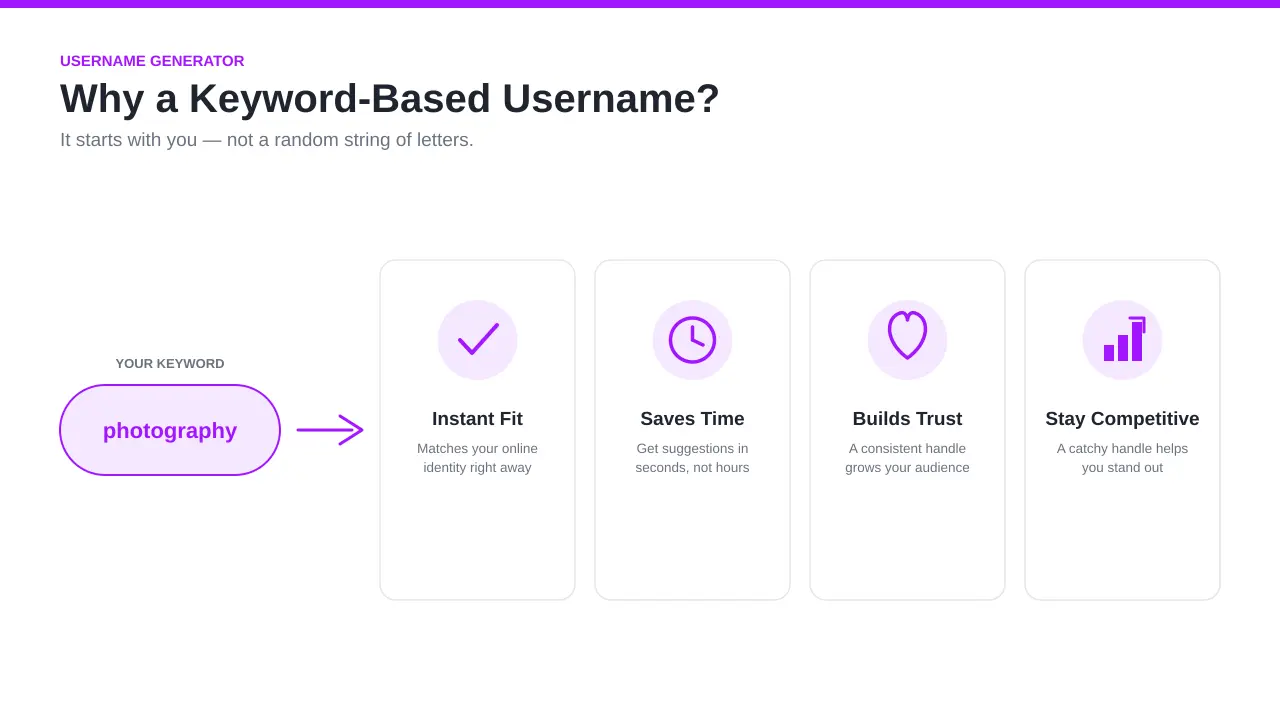
A keyword-based username starts with you. It is based on your niche, your interests, your personality traits, or a short description of your brand. That is what makes it better than a purely random generator.
Here is why creators, businesses, and marketers choose this approach:
- It fits instantly. A username built around your keyword matches your online identity right away.
- It saves time. No need to brainstorm for hours. Get suggestions in seconds.
- It helps you grow. A consistent, recognizable handle builds trust with your audience and community.
- It keeps you competitive. In a trending space, a catchy and unique username helps you stand out.
Tone options available:
| Tone | Best For |
|---|---|
| Casual | Lifestyle, food, personal blogs |
| Friendly | Communities, forums |
| Confident | Fitness, business |
| Minimal | Art, tech, professional |
| Playful | Gaming, entertainment |
| Professional | LinkedIn, B2B brands |
Whether you want a fun username that goes viral or a professional handle that connects with your target audience, this tool helps you find, pick, and shortlist the right one fast. User satisfaction goes up when the username actually fits the person using it.
How to Use Username Generator
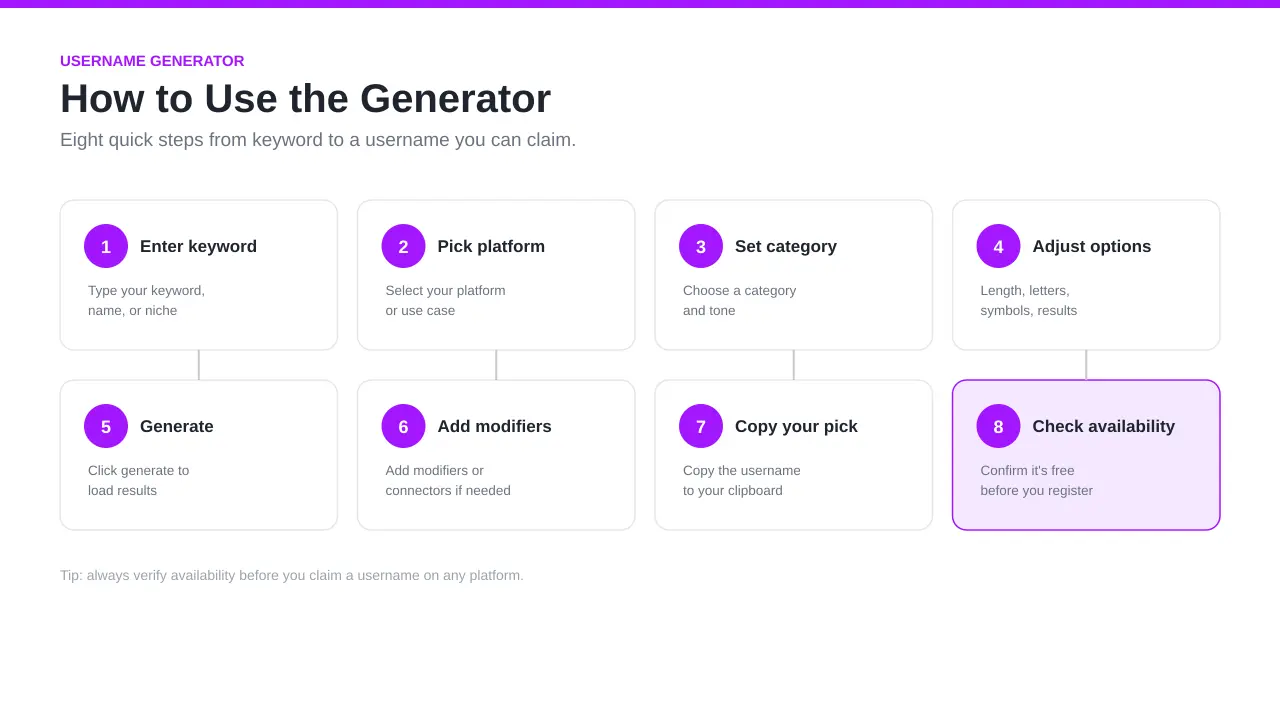
Using this tool is simple. Follow these steps to generate your username:
- Enter your keyword, name, or niche into the input box
- Select your platform or use case
- Choose a category and tone
- Adjust advanced options — length slider, letters, symbols, position, number of results
- Click generate to load results
- Add modifiers or connectors if needed
- Copy your pick to clipboard
- Check availability before you register
The whole process takes seconds. You can change settings and run it again until something fits. Here is a closer look at each step.
Enter a Keyword, Name, Niche, or Short Description
Start by typing your input into the box. This is the most important step because everything is based on what you enter here.
You can describe:
- Your interests — fitness, food, art, travel
- Your personality — bold, quiet, funny, creative
- A business name or marketing angle
- A personal name or nickname
- A favorite game, character, or niche topic
The more specific your description, the better your ideas will be. Keep it short — 1 to 3 words work best.
Choose Your Platform or Use Case
Different platforms have different rules for handles. Select yours so the tool adjusts accordingly.
Social media platforms supported:
- Instagram / Instagrams
- YouTube, TikTok, Twitter, Facebook, Threads
- Pinterest, Snapchat, BeReal, Mastodon, Tumblr, Bluesky
Professional & creator platforms:
- LinkedIn, Medium, GitHub
Gaming platforms:
- Roblox, Fortnite, Minecraft, Valorant
- Xbox, PlayStation, Steam, Twitch, Discord
Other use cases:
- Forums and communities
- Business profiles and company accounts
- Creator or vlog profiles
Choosing the right platform helps match gamertags to gaming accounts and professional handles to business profiles.
Select a Category and Tone
Now select a category and tone that fits your brand or personality.
Categories available:
- Gaming, Fashion, Fitness, Lifestyle
- Food, Business, Creative, Forum
- Salon, Nail, Pet, Anonymous
Tone options:
- Aesthetic, Cute, Funny, Casual
- Friendly, Confident, Professional, Minimal, Playful
Each category carries a different sentiment and theme. A gaming name will feel different from a business one. Matching tone to category gives you cool names that feel natural, not forced.
Generate and Shortlist Your Favorites
Click generate and let the tool load your results. You will see a full list of random suggestions to browse.
Tips for shortlisting:
- Pick names that are simple and easy to remember
- Focus on ones that stick and feel natural to say out loud
- Look for names that are catchy but not forced
- Check if it fits your style before adding it to your shortlist
- Copy your top picks to clipboard so you do not lose them
Run the generator again if you want fresh suggestions. Change one setting and the results will shift entirely. People often find their best names on the second or third run.
Check Availability Before Using It
Before you register anything, use the availability checker to search if the handle is already taken.
Why this matters:
- A taken username means you cannot use it on that platform
- Registering an available name early protects your online identity
- Checking across multiple platforms keeps your accounts consistent
- It is important to secure the name before someone else does
Use the built-in check availability feature to scan across platforms instantly. Once confirmed, register it and claim your page.
Where You Can Use Your Generated Username
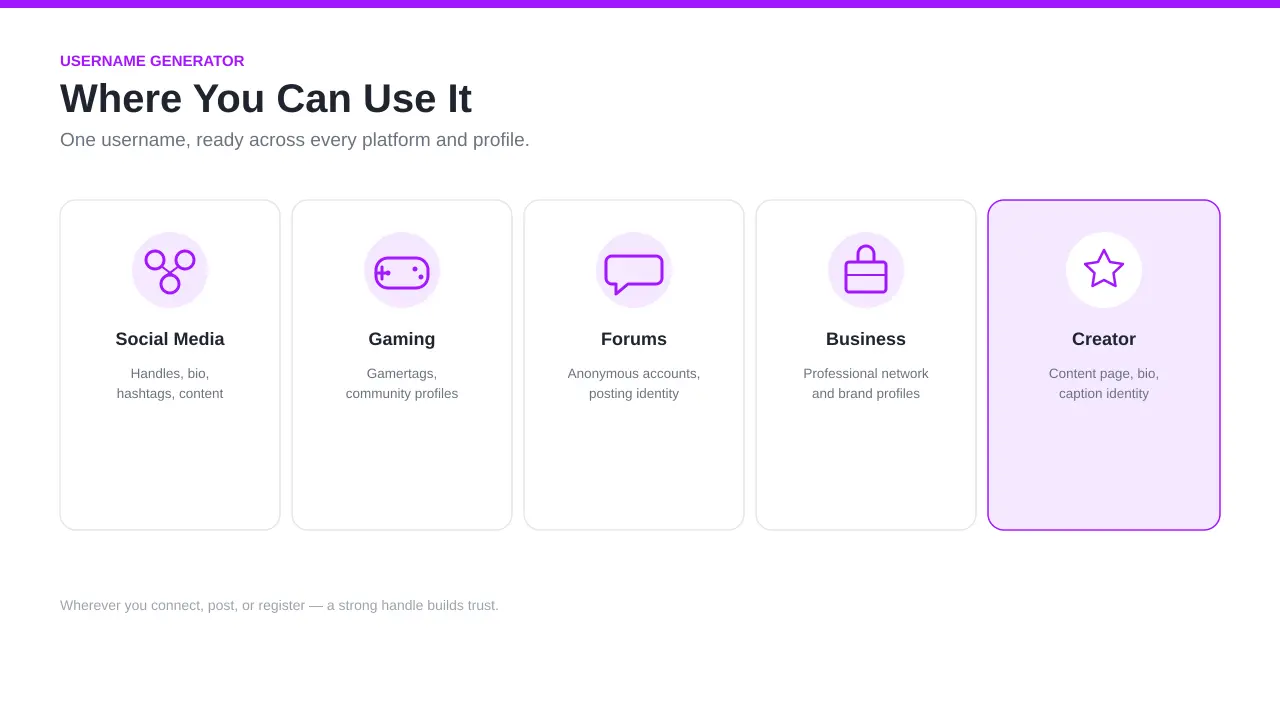
Your generated username works across many platforms, profiles, and accounts online. Here is a quick look at where it fits best.
| Type | Use |
|---|---|
| Social media | Handles, bio, hashtag, content page |
| Gaming | Gamertags, community profiles |
| Forums | Anonymous accounts, posting identity |
| Business | Professional network and brand profiles |
| Creator | Content page, bio, caption identity |
No matter where you connect, post, or register online, a strong digital identity helps you build trust and grow your community.
Social Media & Creator Handles
Your handle is the first thing people see on Instagram, Facebook, TikTok, YouTube, Twitter, Threads, Pinterest, Snapchat, BeReal, Mastodon, Tumblr, Bluesky, or LinkedIn. It appears in your bio, your caption credits, and every post you publish.
Creators use consistent handles across platforms to:
- Grow engagement and audience reach
- Improve content analytics and insights
- Track ROI and ROAS from ads and Meta and Google campaigns
- Build a recognizable homepage and brand presence
Tools like Hootsuite, Buffer, and Vaizle help with scheduling, engagement calculators, and analytics rate tracking. These marketing resources — including pricing, plans, enterprise trials, blog support, community features, and the app — all work better when your handle is consistent. Your handle is your identity everywhere you post.
Gaming Usernames & Gamertags
In gaming, your gamertag is your identity. Whether you play Fortnite, Minecraft, Valorant, Roblox, or compete on Xbox, PlayStation, Steam, Twitch, or Discord, your tag follows you everywhere.
A strong gaming username should:
- Reflect your character or play style
- Match your clan or team theme
- Feel competitive but easy to remember
- Connect you with your community and friends
- Represent your favorite games in a creative way
A good gamertag sticks. Bad ones get forgotten.
Forums & Anonymous Accounts
Posting on Reddit, GitHub, or Medium? You may want to stay completely anonymous. An alias protects your real identity and keeps your online privacy intact.
For forum use, your username should be:
- Untraceable — no connection to your real name
- Private — avoids linking to personal accounts
- Secure — supports username safety and username security
- Neutral — does not reveal your location or personal views
Avoid using anything that ties back to your real identity. This protects you across communities and keeps your posting history separate from your personal life.
Business & Professional Profiles
On LinkedIn and other professional platforms, your username represents your company, brand, or portfolio. It connects team members, partners, and students to your work.
A professional username should:
- Be transparent and easy to find
- Reflect your product, program, or brand
- Meet the standard for your industry
- Help press, courses, and reports link back to your company
- Show your impact clearly in search results
Include your location, workplace, or school name if it adds value. Keep it clean and connected.
Creative Username Ideas by Category & Niche
Not sure where to start? Here are some ideas by category and niche to brainstorm from. These are examples to explore, not exact names — use this list to spark your creativity with the generator.
Gaming
| Style | Ideas |
|---|---|
| Leetified gamertag | Fr0stB1t3, D4rkPh0enix |
| Game title inspired | BladeOfValor, CraftedRealm |
| Clan/theme based | IronClanX, VoidSquad |
| Character focused | GhostRifle7, ShadowBolt |
Use the leetify feature to turn letters into numbers and symbols. Great for Fortnite, Minecraft, Valorant, Roblox, Xbox, PlayStation, Twitch, Steam, and Discord communities.
Fashion & Lifestyle
For fashion and lifestyle creators on Pinterest and Instagram, style matters. Your username should feel aesthetic — minimal, playful, or confident depending on your vibe.
Minimal: velvet.mode, silk.era
Casual: dailythreads, softfits
Friendly: yourwardrobe, letsgetstyle
Confident: boldlaced, ownyourlook
Your bio and caption style should match your username for a consistent creator presence.
Fitness & Wellness
Fitness creators on YouTube and TikTok need names that reflect their goal and interest. A name tied to your wellness niche helps you grow faster and improve community engagement.
runwithme, liftdaily, coregoals
wellnessreset, bodywithin, movewith
Food & Cooking
Food and cooking content thrives on a fun, creative username. Whether you run a blog, post recipes, or use a hashtag campaign, your name should match your content ideas.
chefcorner, spoonfed, saltandsear
bakeitbold, dailydish, crumblog
Business & Professional
Personal branding on LinkedIn starts with your username. A business name should be consistent, recognizable, and connected to your company, audience, or marketing angle.
yourname.co, brandwithpurpose, growthdesk
teamlaunch, marketwithme, provenmethod
Creative & Art
Artists and creative professionals on Medium, Pinterest, and Instagram need names that feel unique. Consider using translate to find a word in another language, or pull aesthetic ideas from art concepts.
brushwork, artlayered, inkandidea
canvasecho, palettepulse, voidstudio
Build a portfolio-ready name that feels true to your creative identity.
Anonymous & Forum
For Reddit, GitHub, and other forums, an alias keeps you private and untraceable. Protect your identity by avoiding anything that connects to your real name.
- Keep it secure and random
- Avoid names that reveal personal information
- Use the tool to generate something completely unlinked to your identity
How to Create a Unique, Catchy Username: Step-by-Step
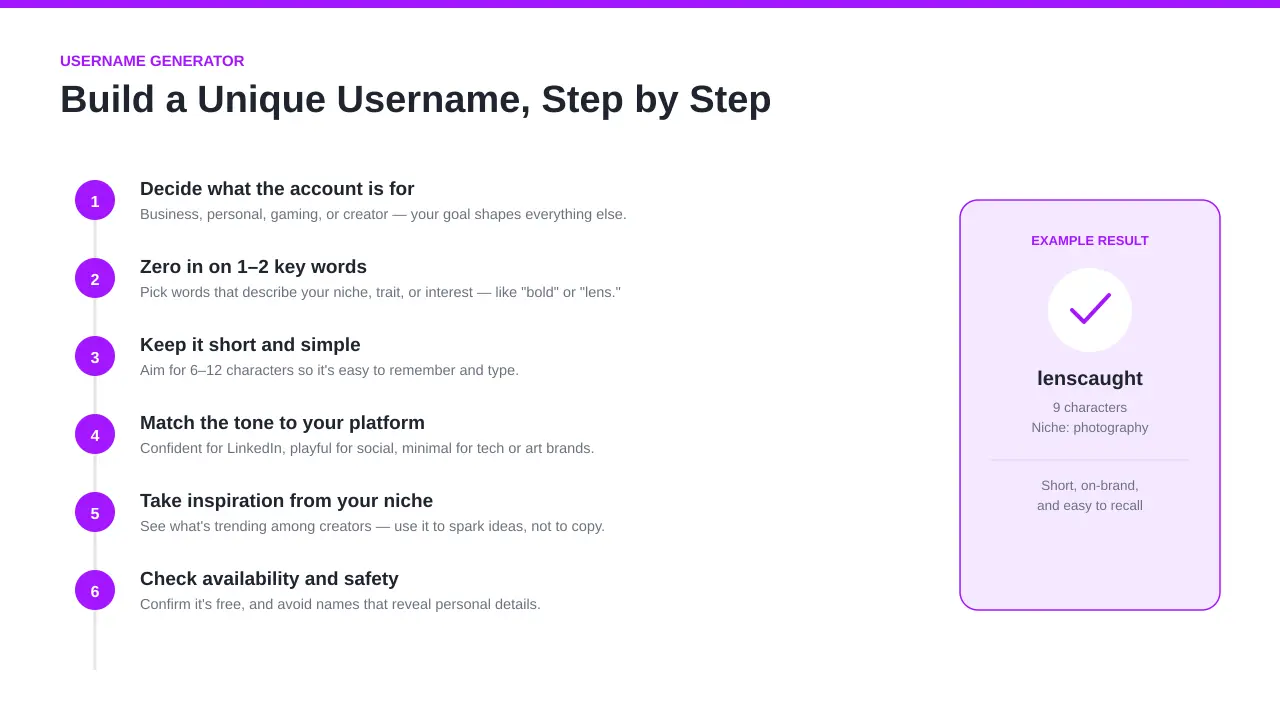
Building a good username from scratch does not have to be hard. Follow these steps to make something that fits perfectly.
Decide What the Account Is For
Start by deciding the purpose of the account. Is it for business, personal use, gaming, creator content, or marketing? Your goal shapes everything else. A community account needs a different feel than a brand account.
Zero In on 1–2 Key Words or Personality Traits
Pick 1 or 2 key words that describe your personality, niche, interest, or favorite thing. Base your username on these words. For example:
Interest: photography → lenscaught, shotbyme
Trait: bold → boldfocus, boldmove
Keep it based on what actually describes you.
Keep It Short, Simple, and Easy to Type
A long username is hard to remember. Aim for a username length of 6 to 15 characters. Avoid long strings of letters, numbers, or symbols. People should be able to type it without thinking about it.
| Username Length | Result |
|---|---|
| Under 6 characters | Too short, usually taken |
| 6–12 characters | Ideal character count |
| 13–20 characters | Acceptable if clear |
| Over 20 characters | Too long, hard to remember |
Match the Tone to Your Platform or Brand
A confident tone works on LinkedIn. A playful tone works on social media. A minimal tone fits tech or art brands. A casual or friendly feel works well for communities. Match your tone to your platform so your brand feels natural.
Take Inspiration From Creators in Your Niche
Explore your niche. Read creator profiles. Learn what names are trending and going viral. Look at community handles in your space. Do not copy — but use what you see to spark ideas for your own username.
Check Availability and Safety Before Claiming It
Before you register, always check. A good username means nothing if it is already taken. Also check for username safety and username security — avoid names that reveal sensitive or public personal details. Protect yourself before you claim it.
What Makes a Good, Strong Username?
A good username does more than look cool. It represents your digital identity clearly and helps people find you online. Here is what makes one strong and distinct.
Memorable
A memorable username is simple, catchy, and easy to remember. People should be able to recall it after seeing it once. If it sticks in someone's head, it is doing its job. Recognizable names get shared more.
Complex & Unique
A complex username is harder to guess. Mix uppercase and lowercase letters, add numbers or special characters, and use randomized combinations. This makes your username unique and more secure across accounts.
Untraceable (for Anonymous Accounts)
An untraceable username hides your real life identity completely. It should not include:
- Your date of birth or birth year
- Your phone number
- Your location, school, or workplace
- Any personally identifiable information or personal data
Avoid anything that someone could use to cross reference or link back to your identification. A safer anonymous username has no connection to your real name or life.
On-Brand (for Business Accounts)
For business accounts, your username is part of your personal branding. It should feel professional, consistent, and connected to your product, company, or audience. A strong branded name builds trust over time.
Can a Username Generator Improve Your Online Security?
Yes — and here is how. A good username generator does more than help with naming. It also protects your online privacy and improves your username security by making your credentials harder to compromise.
Hackers often guess usernames based on patterns. If your username reveals sensitive data or information, a hacker can use it to access your accounts. Randomized usernames reduce this risk significantly. Avoid reusing usernames across platforms to prevent breaches from spreading. A compromised username on one platform should not give access to all your other accounts.
Anonymity — Hides Your Identity
Anonymity means your online identity is not linked to your real identity. An anonymous alias on a private account protects who you are. Use the generator to create something that hides your identity completely.
Privacy — Avoids Personal Details in Usernames
Privacy starts with what you leave out. Never include your date of birth, birth year, phone number, or location in a username. Any personally identifiable information or personal data in a username becomes public. That makes you easier to target. Avoid it entirely.
Variety — Reduces Password/Username Reuse
Using the same username and password across multiple accounts is risky. If one account is breached, hackers get access to all of them. Using a variety of usernames — especially randomized ones — prevents credential reuse and stops hackers from connecting your accounts.
More Ways to Strengthen Your Account Security
A strong username is just the start. Here are more ways to strengthen your overall account security and protect yourself online.
Two-Factor Authentication (2FA)
Two-factor authentication (2FA) adds a second layer of protection by requiring a second step to access your account. Even if your credentials are compromised, 2FA prevents unauthorized access. Turn it on for every account you own. It is the single most effective security step you can take.
Strong, Unique Passwords
Every account needs a strong password. Mix numbers, symbols, uppercase, lowercase, and special characters. Complex passwords are harder to guess. Never reuse a password. Use a password manager to store them securely across devices. Switch to open source options if standard managers do not meet your policy or report needs. Tor-based tools can also provide extra protection depending on your source and security standard.
Email Aliases
An email alias is a separate email address that connects to your main inbox. Use aliases to sign up for accounts so your real address stays protected. This helps you avoid breaches tied to your primary email and keeps your accounts safer.
How to Keep Track of Your Usernames and Passwords
The more accounts you have, the harder it gets to track everything. Here is how to stay organized.
Options to store and manage credentials:
| Method | Details |
|---|---|
| Password manager app | Download on all devices, view and store credentials securely |
| Web-based manager | Access from any window or browser |
| MS Excel / Google Sheets | Use docs or sheets to track usernames, passwords, and email |
| Google Drive | Store a secure spreadsheet with account details |
A good password manager creates and protects strong passwords, tracks activity frequently, and gives you analysis and reports on your credentials. Look for features like:
- Secure store for all accounts
- Support across devices
- Email and username tracking
- Activity report and analysis
- Plans and pricing that fit your needs (including free and credit card options)
Products like Lumo offer these features for individuals and teams. Explore resources, discover what plans support your goals, and subscribe to get started. You can often start within an hour — no credit card required.
Use this system in English or your preferred language. Whether you are a solo creator or managing accounts for a company, staying organized protects everything you have built online.
A username generator using keywords helps you start strong. But keeping track of every username and password you create is what keeps you safe long-term.
FAQs
What is a username generator?
A username generator is a simple tool that helps you come up with name ideas for your online accounts. Instead of staring at a blank screen, you enter a word or idea and it gives you suggestions you can actually use. On this page, the Username Generator Using Keywords builds names based on what you type in, so the results feel personal, not random noise.
What is the best username generator?
The best username generator is one that gives you control. You should be able to enter your own keyword, adjust the style, and get results that match your purpose—gaming, social media, or business. That’s exactly how my Username Generator Using Keywords works. It doesn’t just throw names at you. It shapes them around your idea.
How does a keyword-based username generator work?
It starts with your keyword. You type in something that describes you—like “fitness,” “shadow,” or your first name. The generator then mixes, rearranges, and enhances that word with different patterns, styles, or variations. Because it’s keyword-based, the results stay connected to your original idea instead of drifting off-topic.
What is a unique username?
A unique username is one that stands out and isn’t easily confused with someone else’s. It’s not just rare—it feels like it belongs to you. It might combine two unexpected words, use a creative twist, or reflect your personality in a subtle way.
What is a good username example?
A good username is simple, clear, and easy to remember. For example, if someone loves night photography, something like “MidnightLens” works well. It’s specific, visual, and not overly complicated. A good username gives a small hint about you without oversharing.
How do I create a unique username?
Start with one word that means something to you. Then add a twist. Combine it with another word, shorten it, flip it, or tweak the spelling slightly. Or just use the Username Generator Using Keywords and experiment with a few inputs. Try 3–5 variations before picking one.
How do I make my username catchy?
Keep it short. Make it easy to say out loud. If it sounds smooth when spoken, it usually sticks better. Avoid long strings of numbers. Two simple words together often work better than one complicated one.
Can a username be my own name?
Yes, absolutely. Many people use their own name. If it’s already taken, you can modify it slightly—add a word that reflects what you do or a short variation. Just avoid adding random numbers that don’t mean anything.
Should I use my real name or a brand name?
It depends on your goal. If you’re building a personal presence, your real name makes sense. If you’re creating something bigger than yourself—like a store, channel, or project—a brand name may work better. Think long-term before you decide.
Can I generate random usernames?
Yes. If you don’t want to use a specific keyword, you can generate random usernames. This is helpful if you want something abstract or anonymous. Sometimes the best ideas come from unexpected combinations.
Is there a username generator with name input?
Yes. You can enter your actual name into the Username Generator Using Keywords. From there, it creates variations, combinations, and creative twists based on your input. Try our baby name combiner for name-specific blending options.
Can I use this as a gaming username generator?
Yes, and it works great for that. Just enter a word related to your play style, favorite character, or vibe. You can create gamertags that feel competitive, mysterious, or bold—whatever fits your gaming identity.
How to create a good gamertag?
Pick something that feels strong and easy to recognize. Keep it short enough for teammates to remember. Avoid complicated spellings. If it sounds powerful when someone calls it out during a match, you’re on the right track.
Can I use this for Reddit, Discord, GitHub, or Medium?
Yes. The generator works for social, creative, and community platforms like Reddit, Discord, GitHub, and Medium. If you want to stay anonymous, choose something neutral. If it’s professional, keep it clean and simple.
Can I use this as an Instagram username generator?
Definitely. Enter a keyword that matches your niche—fitness, travel, art, business—and generate options. For Instagram, I recommend something easy to spell and consistent with your content theme.
How do I check if a username is available?
After you pick a name, search it directly on the platform you want to use. If no profile shows up with that exact username, there’s a good chance it’s available. Always double-check before settling on it.
How to get rare usernames?
Go early and think creatively. Rare usernames often combine two uncommon words or use fresh variations. Avoid trends that everyone is using. You can also try shorter names or unique word pairings through the Username Generator Using Keywords.
How do I “leetify” my username?
Leetify means replacing certain letters with numbers or symbols. For example, “E” might become “3” or “A” might become “4.” Use this lightly. Too much makes it hard to read. A small change can make your username feel more gaming-inspired.
What is a secure username?
A secure username doesn’t reveal personal information. It doesn’t include your birth year, phone number, or location. It’s something that can’t easily be guessed or linked back to your real identity.
How do I create a secure and untraceable username?
Avoid using your full name or anything tied to your real life. Don’t include your date of birth or city. Choose a neutral word or abstract combination. If privacy matters to you, keep it completely separate from your personal accounts.
How often should I change my username?
You don’t need to change it often. Only change it if your brand shifts, your interests change, or there’s a security concern. Consistency helps people recognize you, so don’t switch it just for fun unless you’re rebranding.